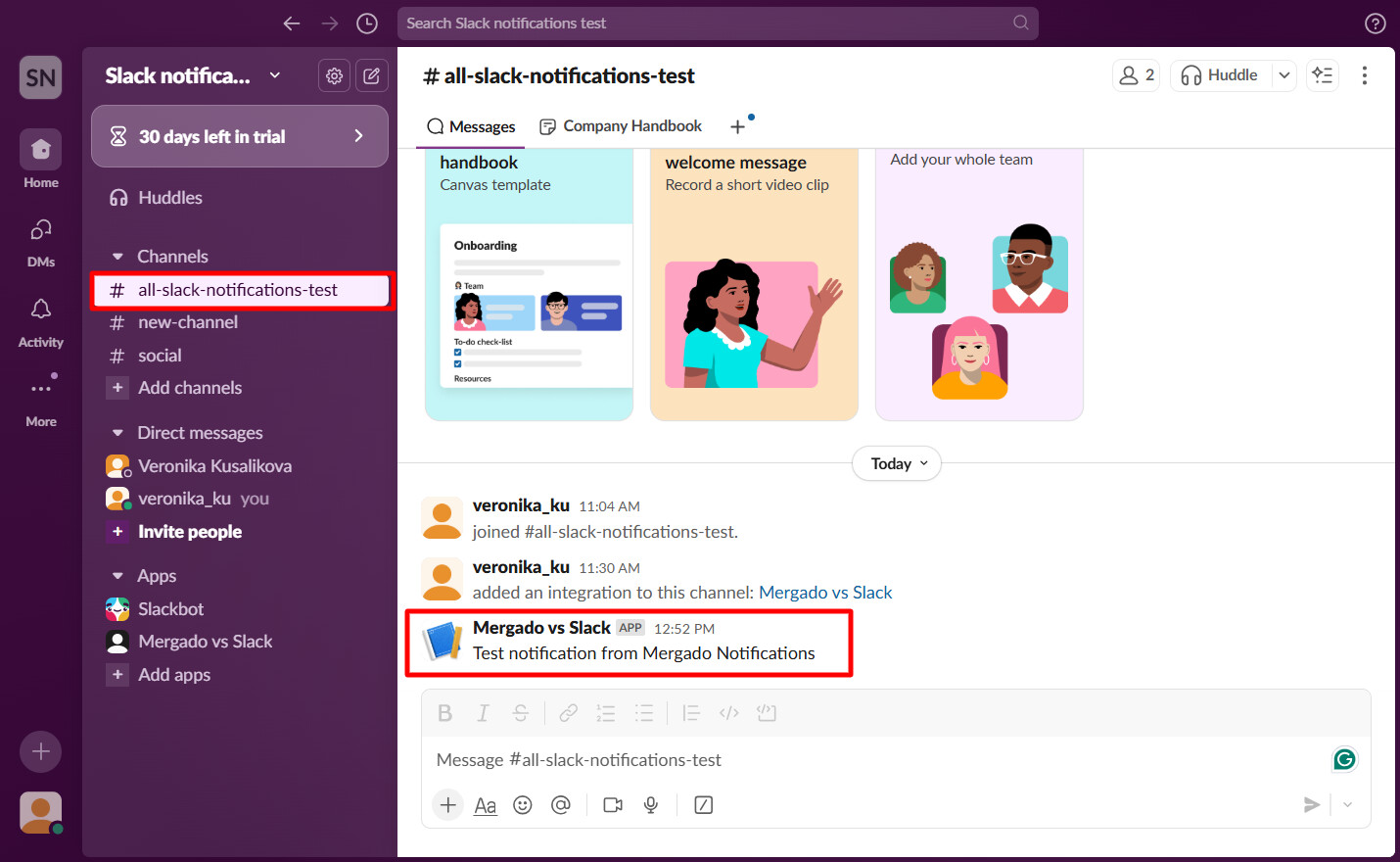
With the Mergado Notifications app, you could previously receive notifications from Mergado in Rocket.Chat. We have now decided to make Slack users happy too. 
How to connect Slack with Mergado Notifications?
- Log in to Slack and then click on this link.
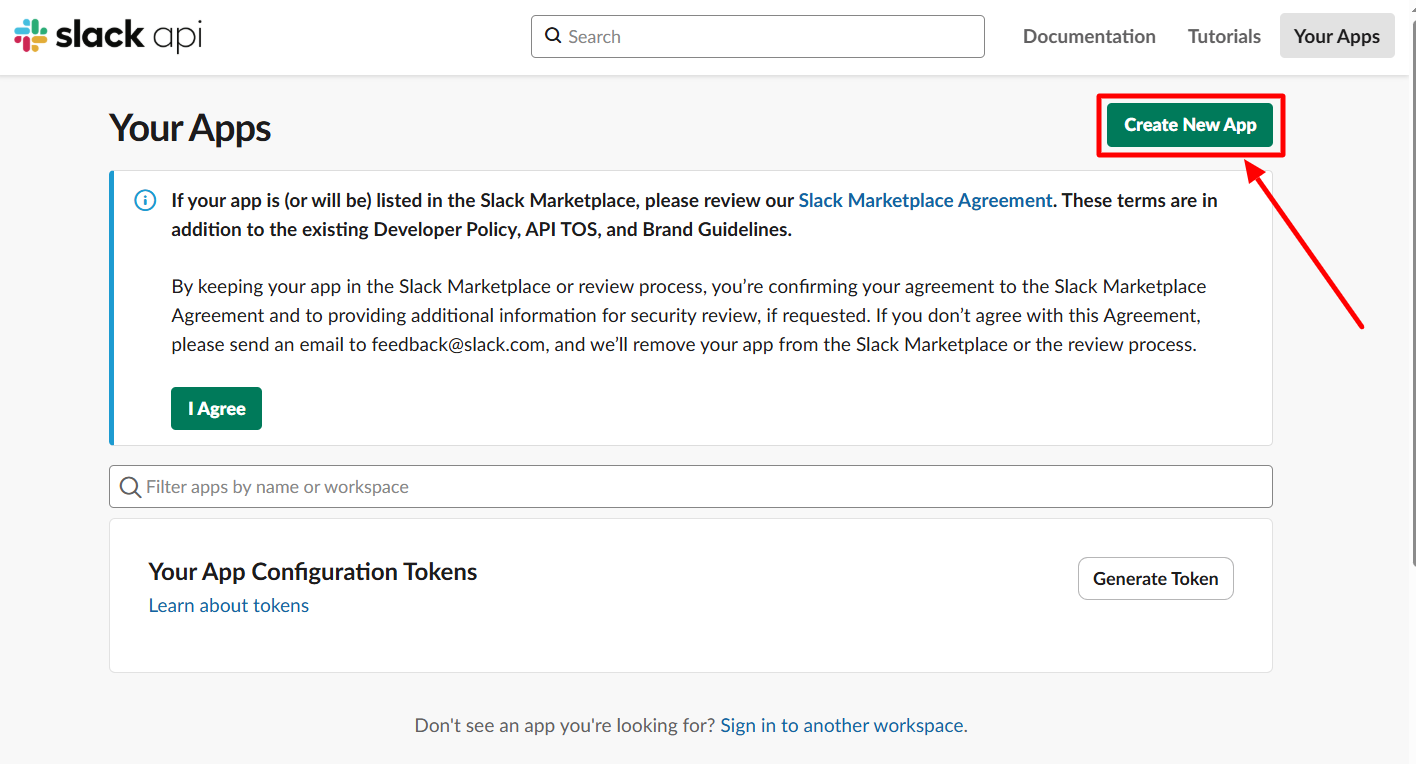
- Here you can create a “new app”.
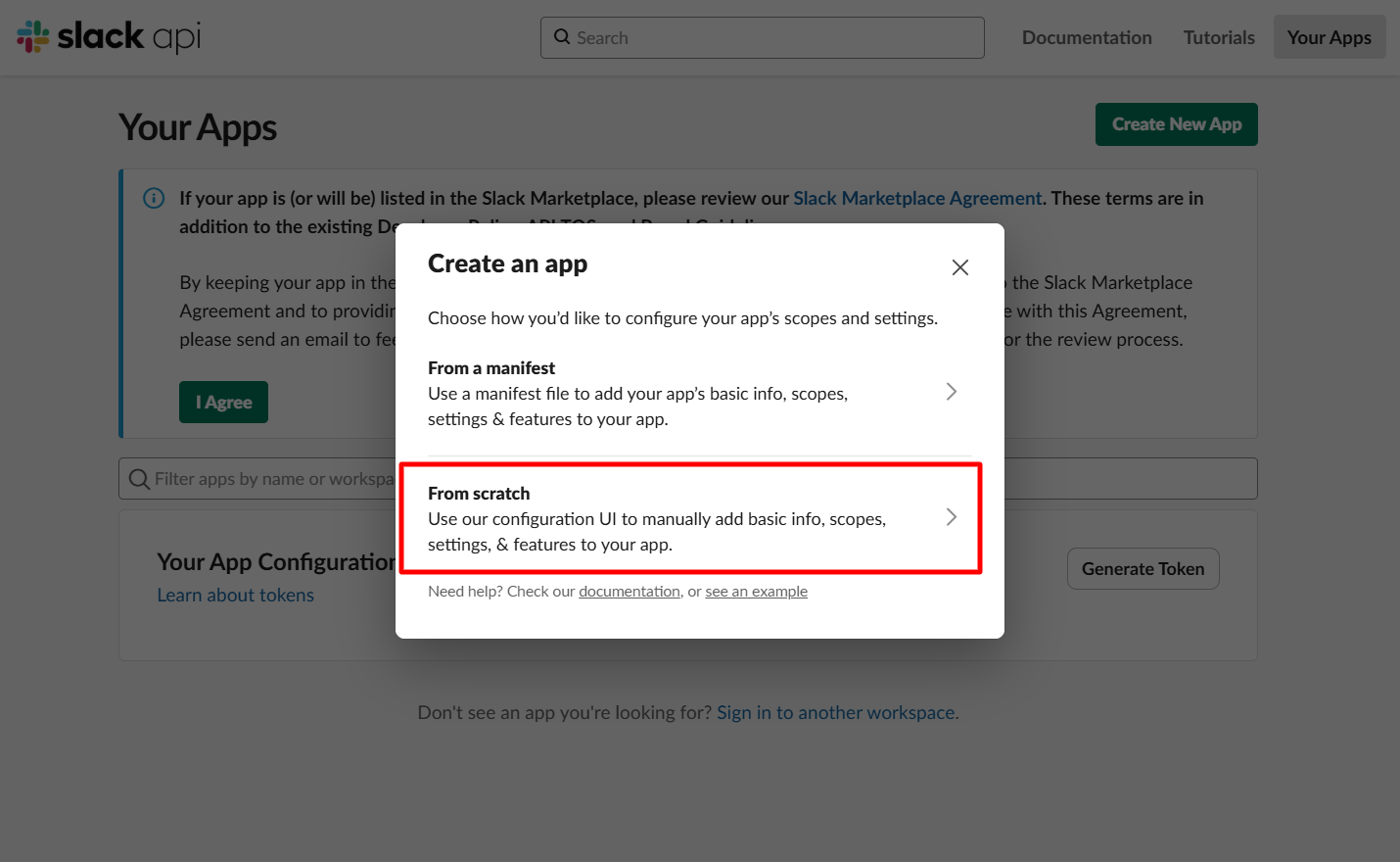
- Select the “from scratch” option.
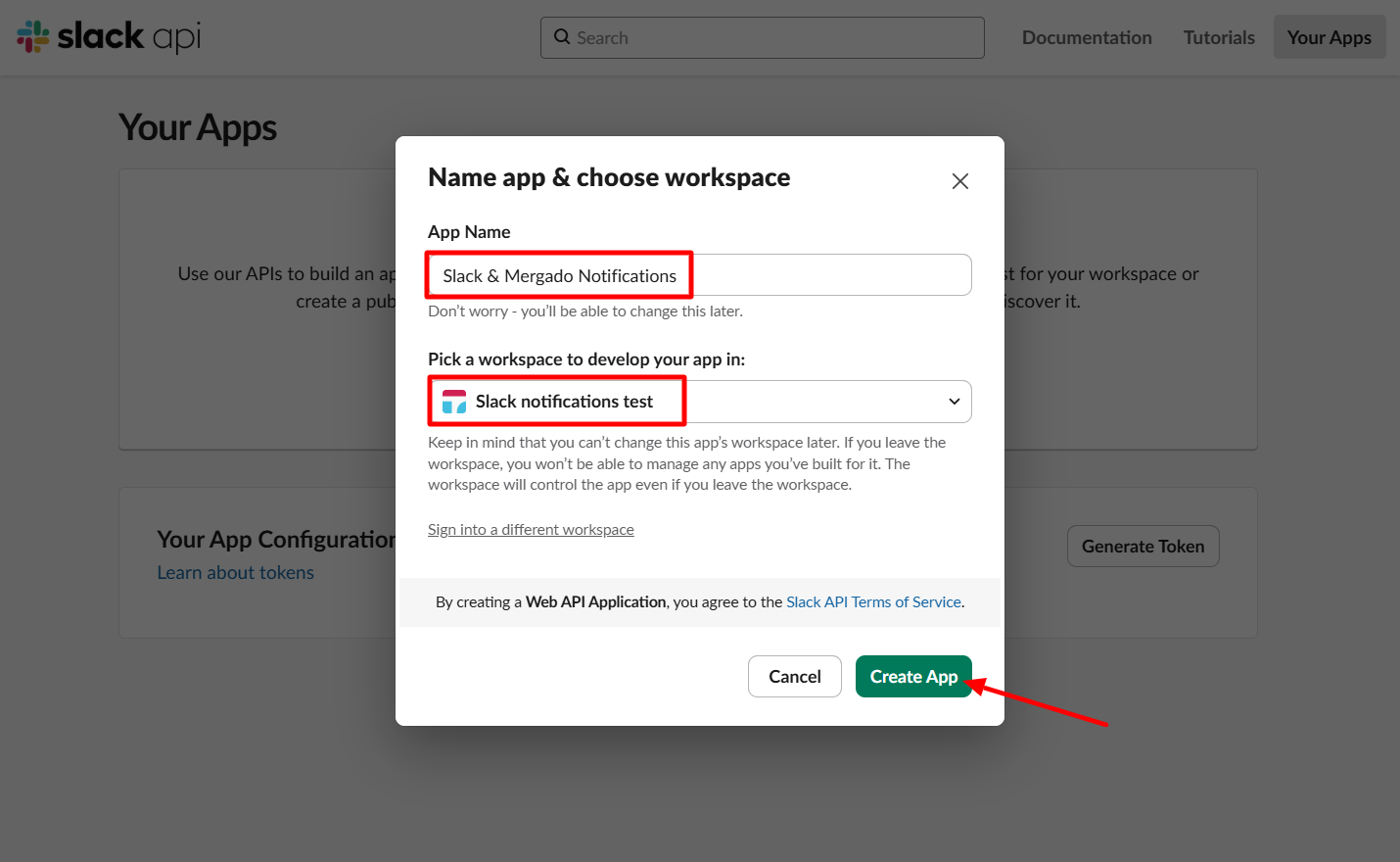
- Name the app and select your workspace/server in Slack.
- Go to the Incoming Webhooks section in the left menu and enable (turn on) webhooks.
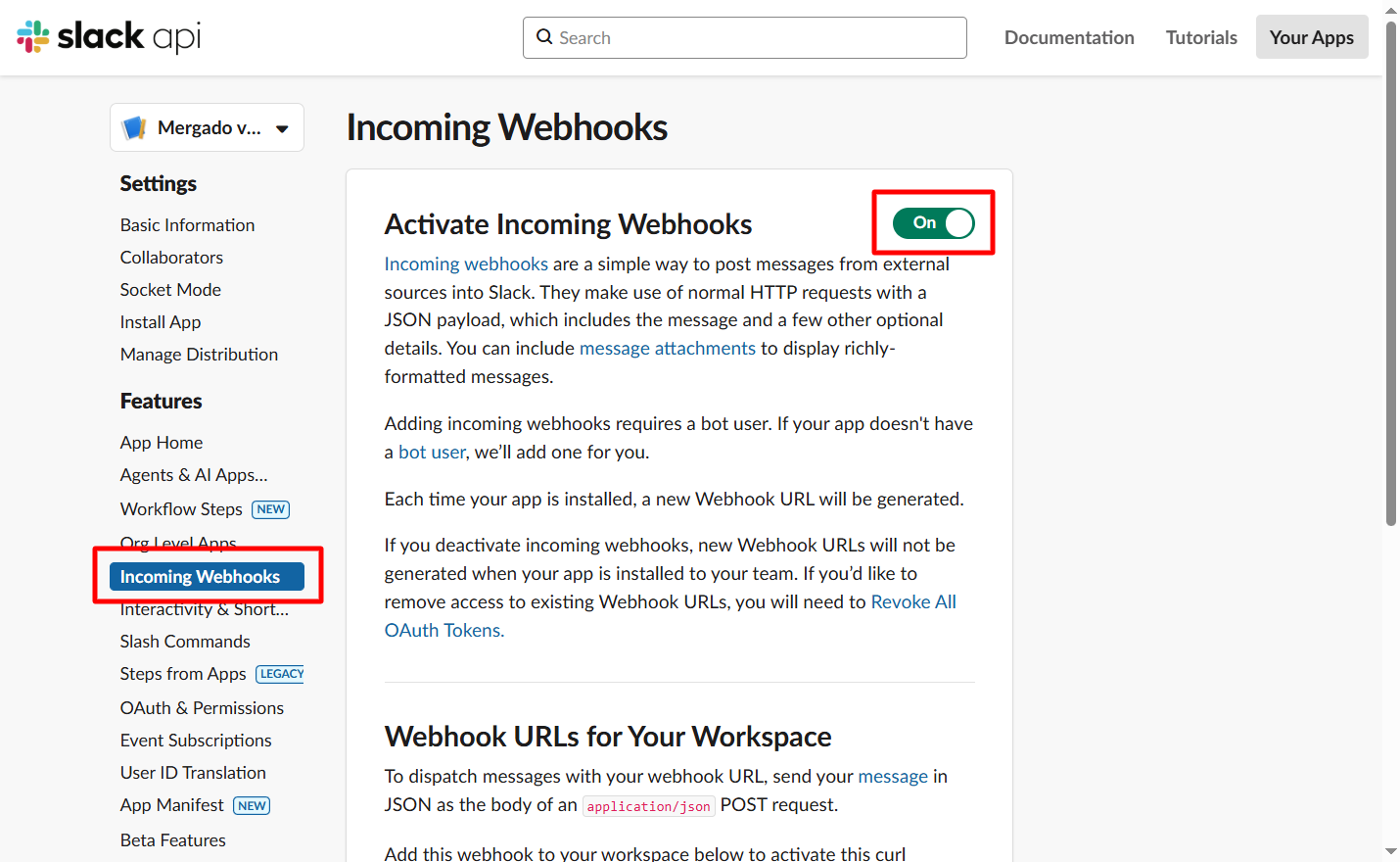
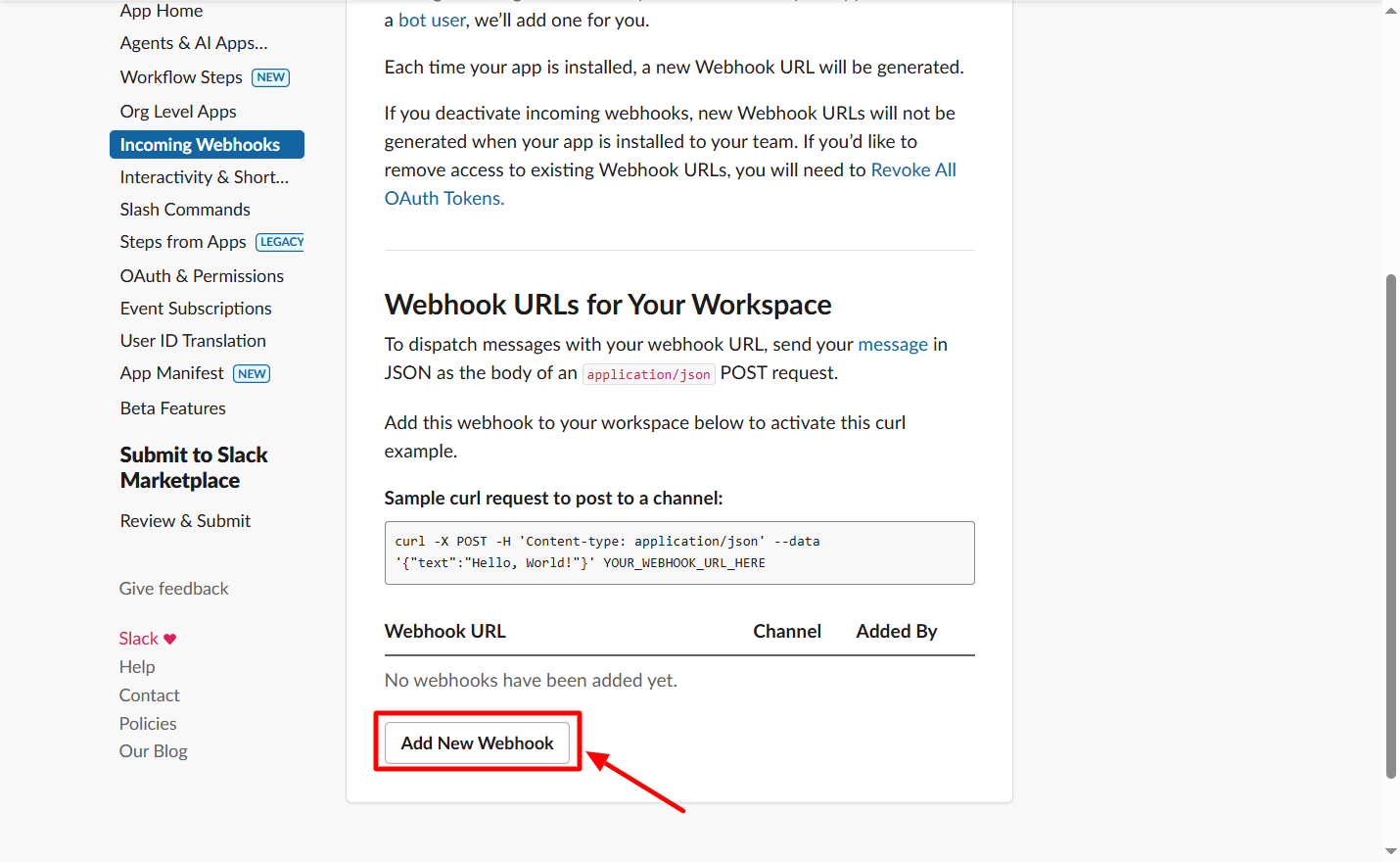
- Click on “Add new webhook”.
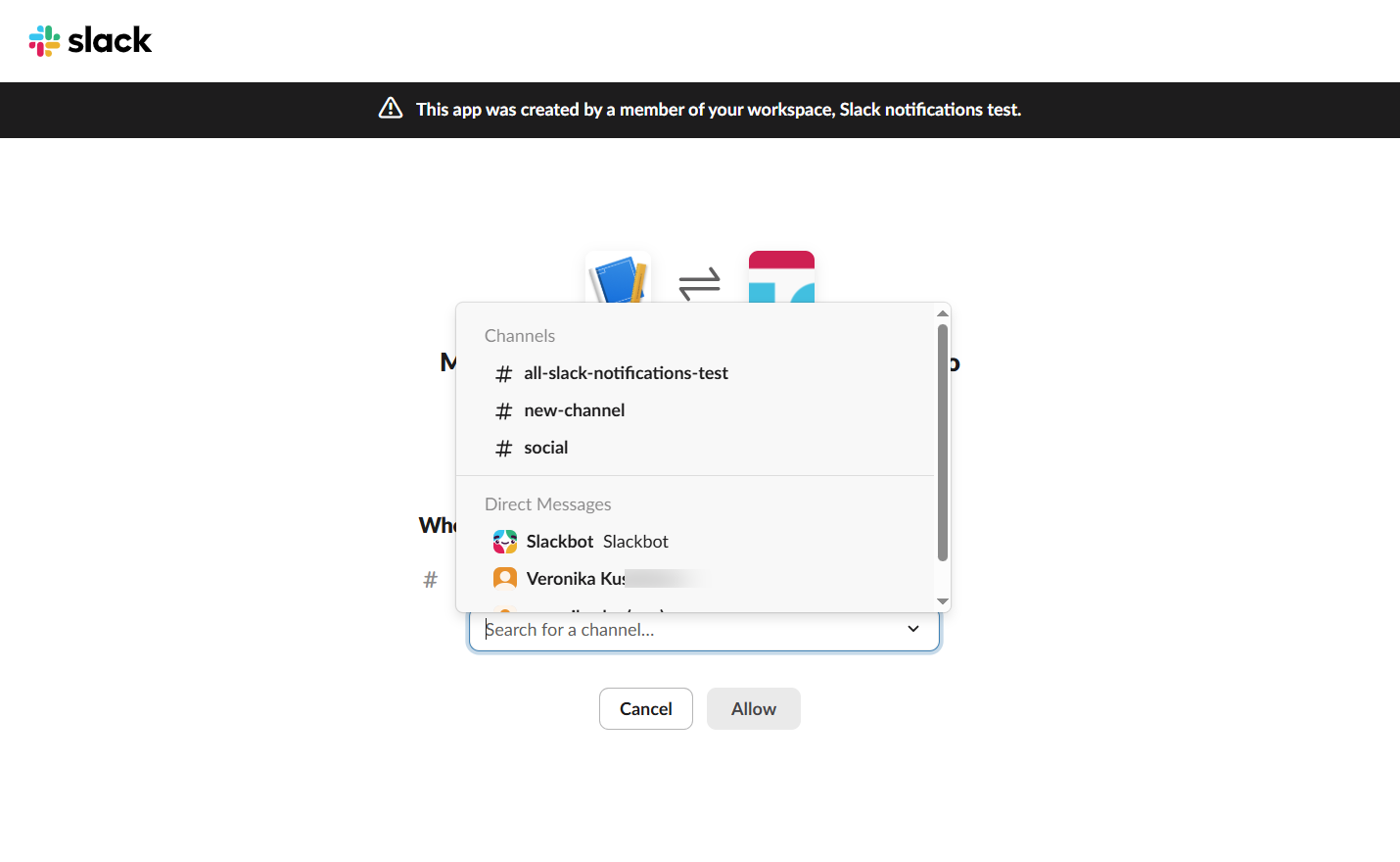
- Select the channel or user where you want Mergado notifications to be sent to Slack.
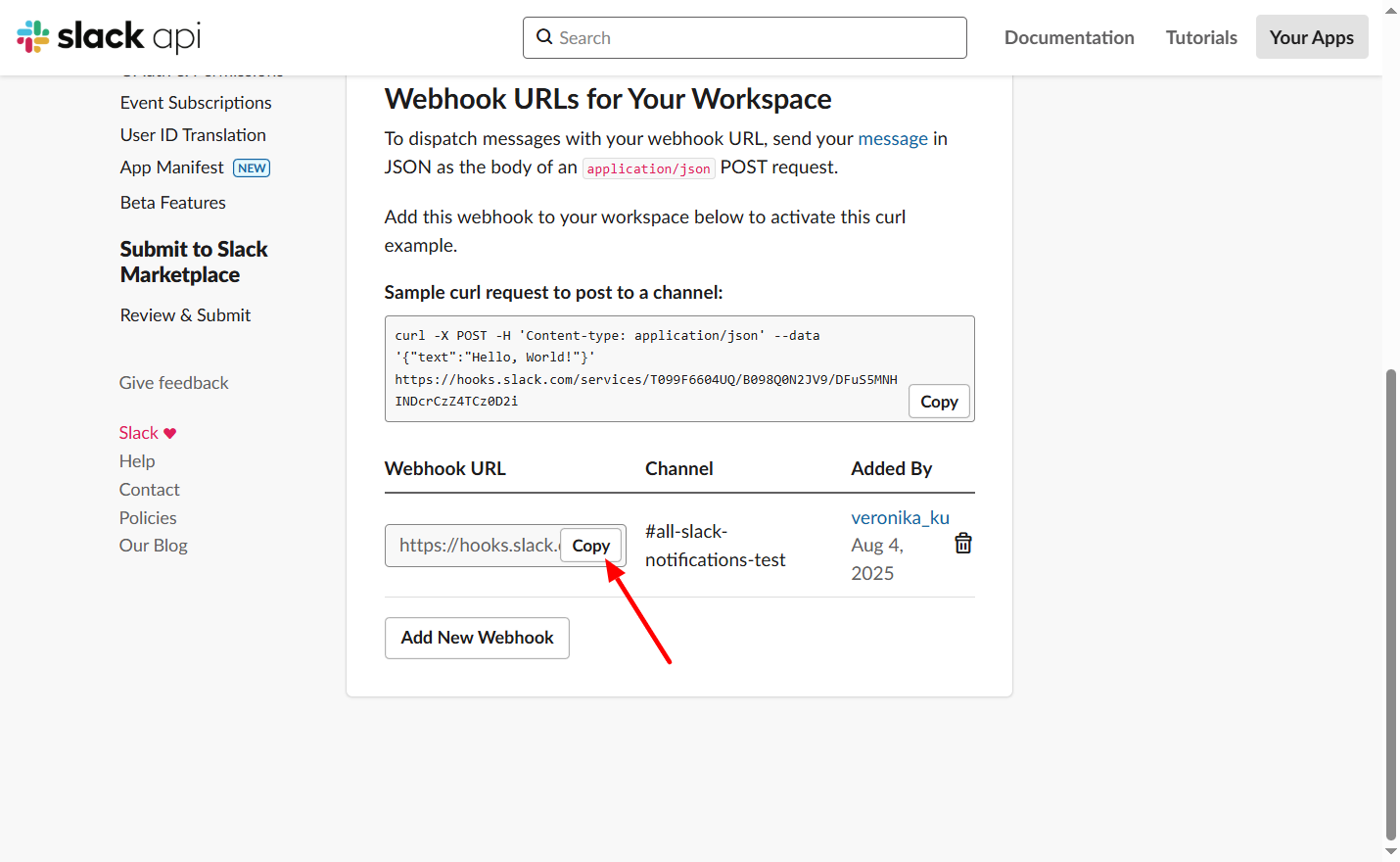
- Copy the webhook address so you can upload it to Mergado Notifications.
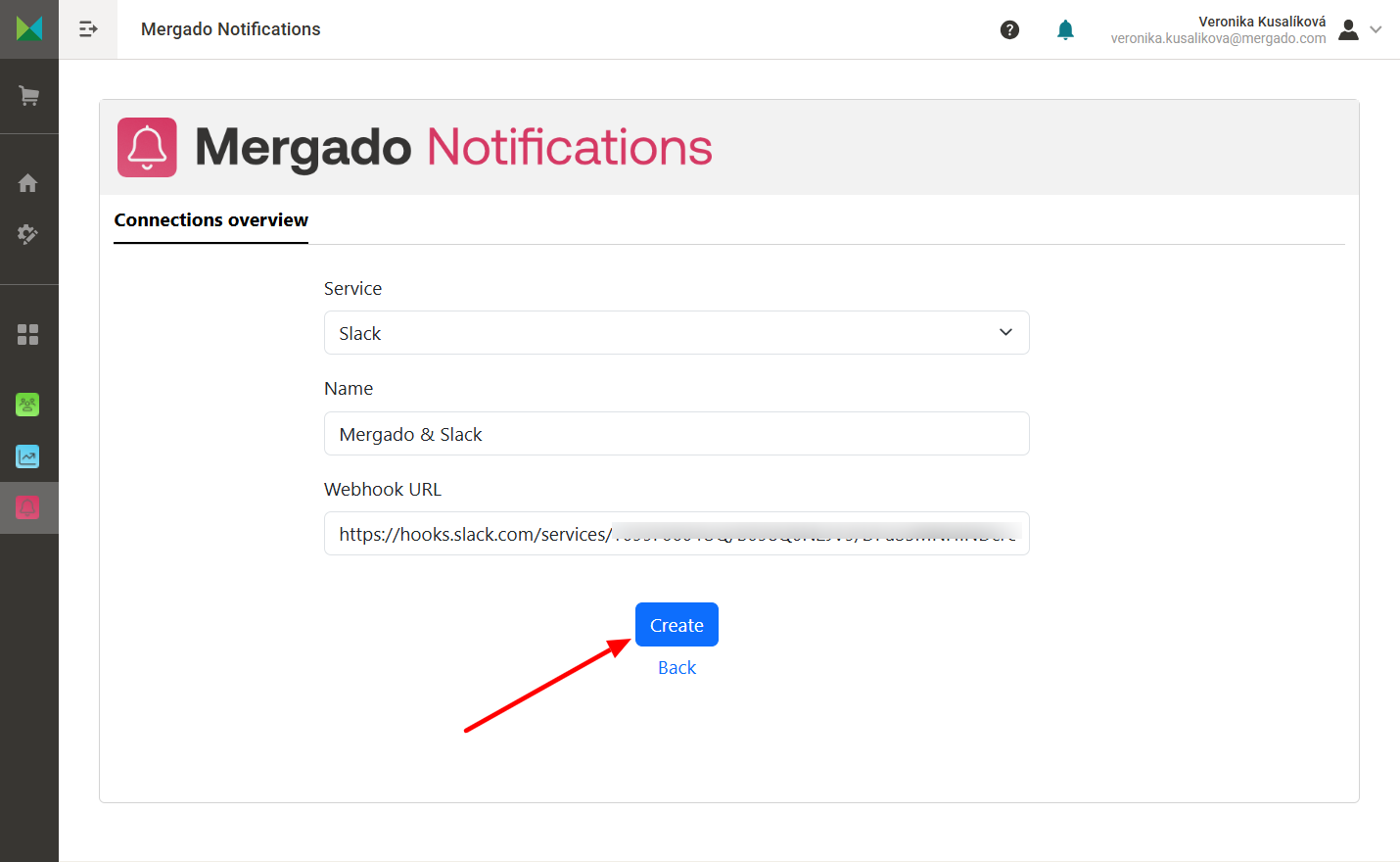
- Go to Mergado Notifications, create a new connection, and enter the copied webhook address.
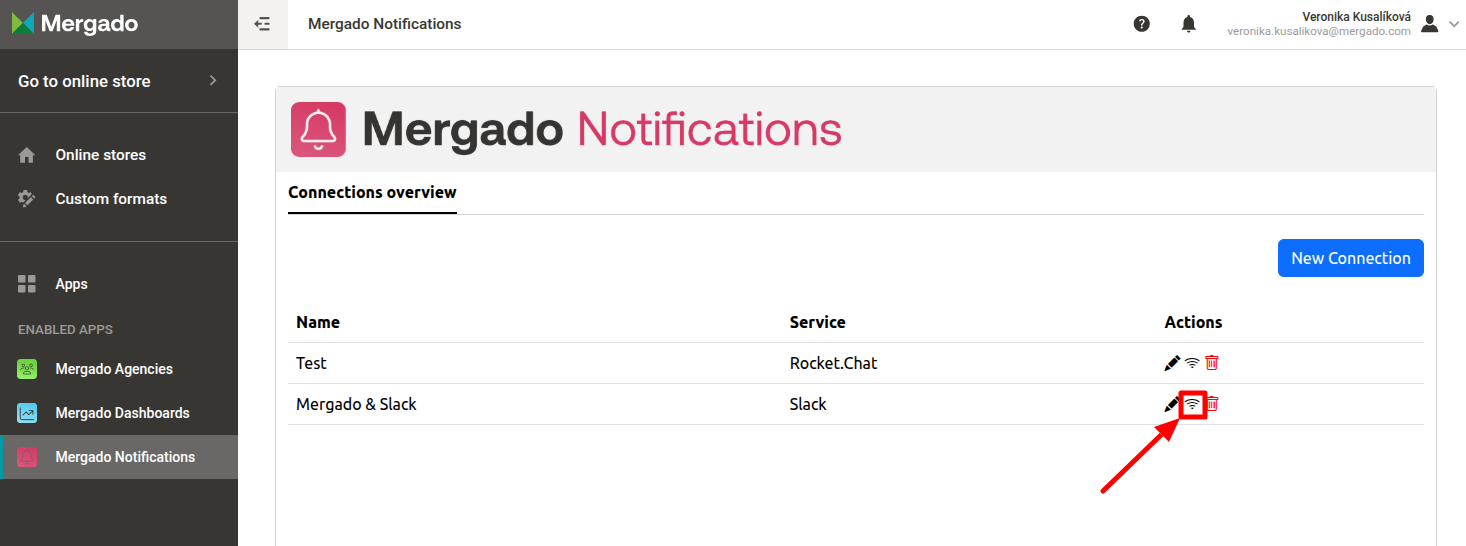
- If you have created the connection correctly, you can test it by clicking on the signal icon.
This is what incoming notifications should look like in Slack.