How to connect an e-shop running on the UNAS platform to Mergado Editor via API
Step 1
First, you need to generate an access key within the e-shop platform.
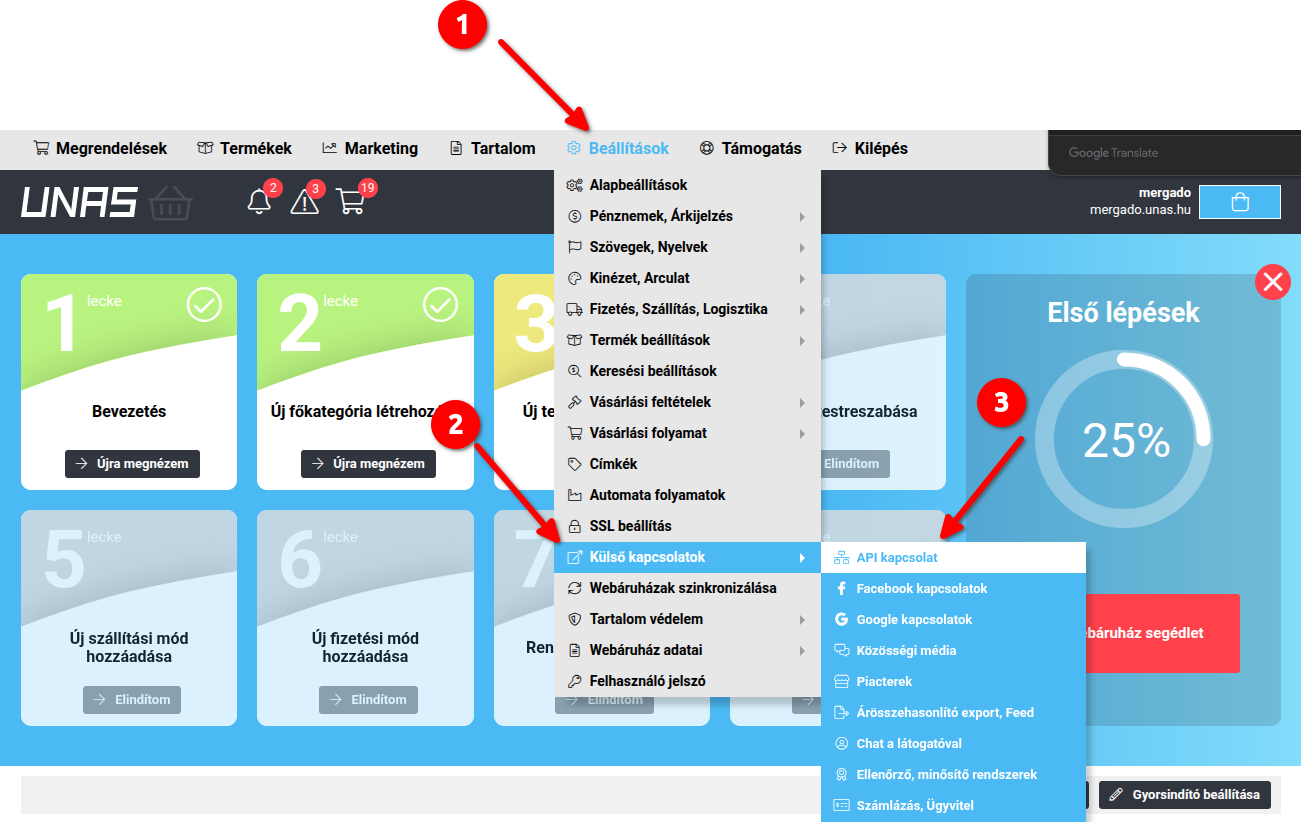
Go to: Beállítások → Külső kapcsolatok → API kapcsolat
Full path example:
Step 2
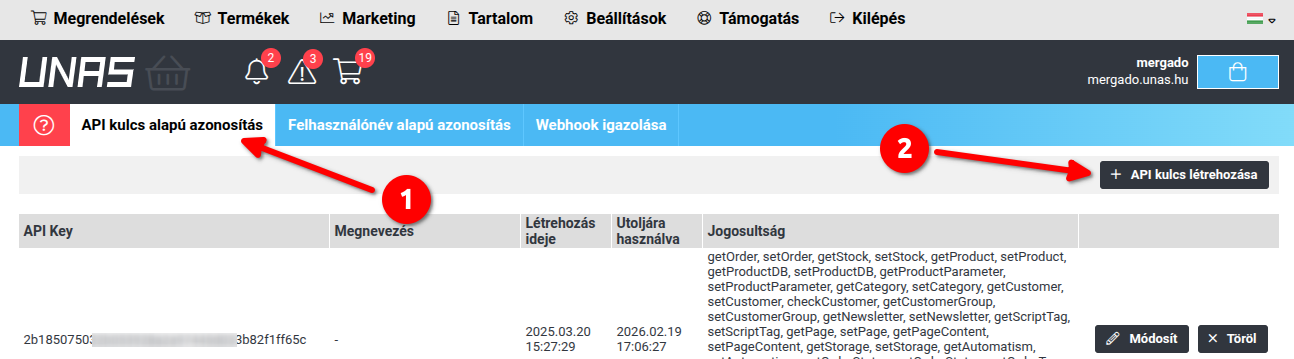
On the page, choose to create a new API key. Click the button labeled “API kulcs létrehozása” (Create API key).
Step 3
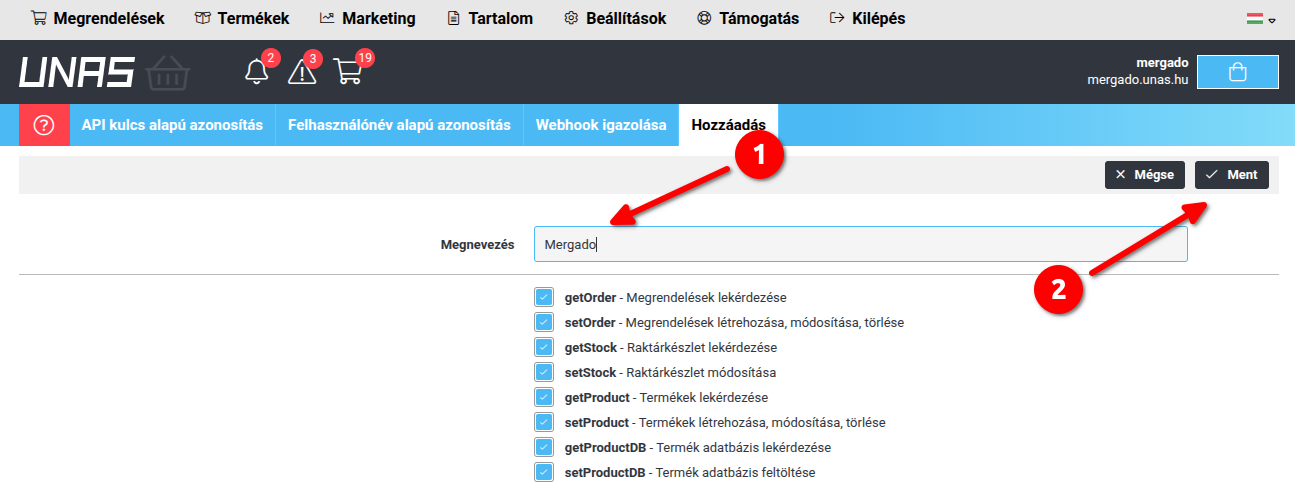
Leave all options enabled, enter a name for the connection (e.g., Mergado), and save the settings:
Step 4
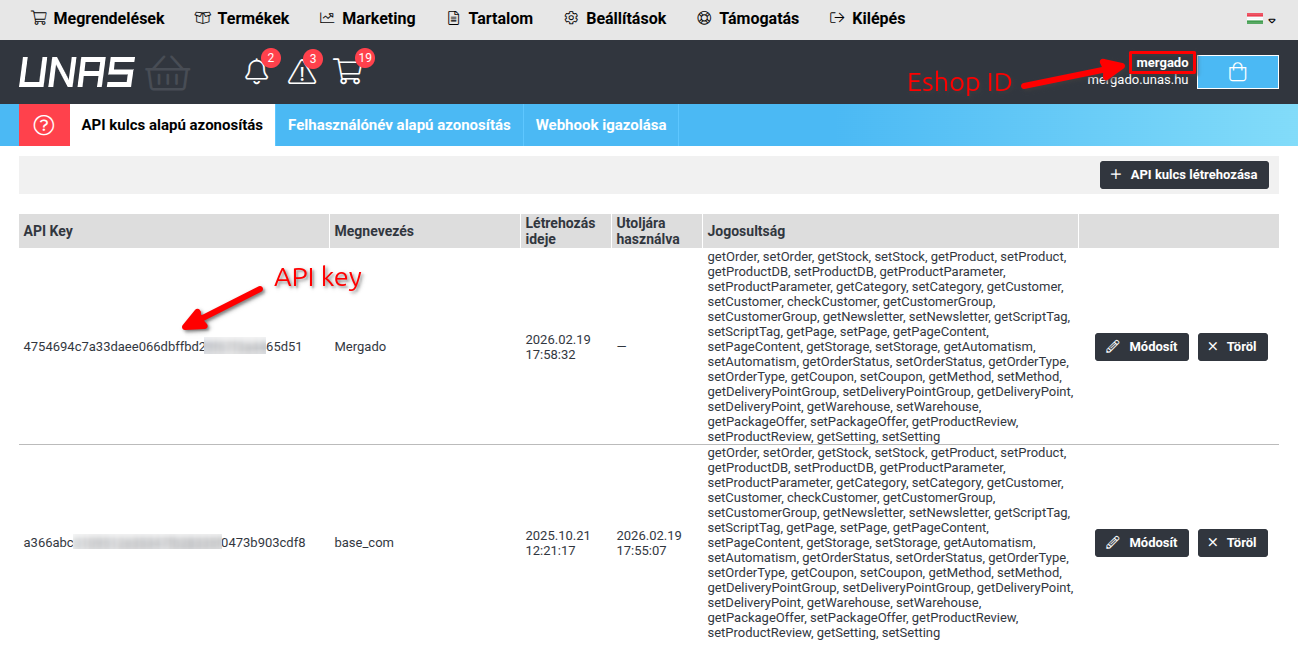
Copy the generated API key and E-shop ID:
Step 5
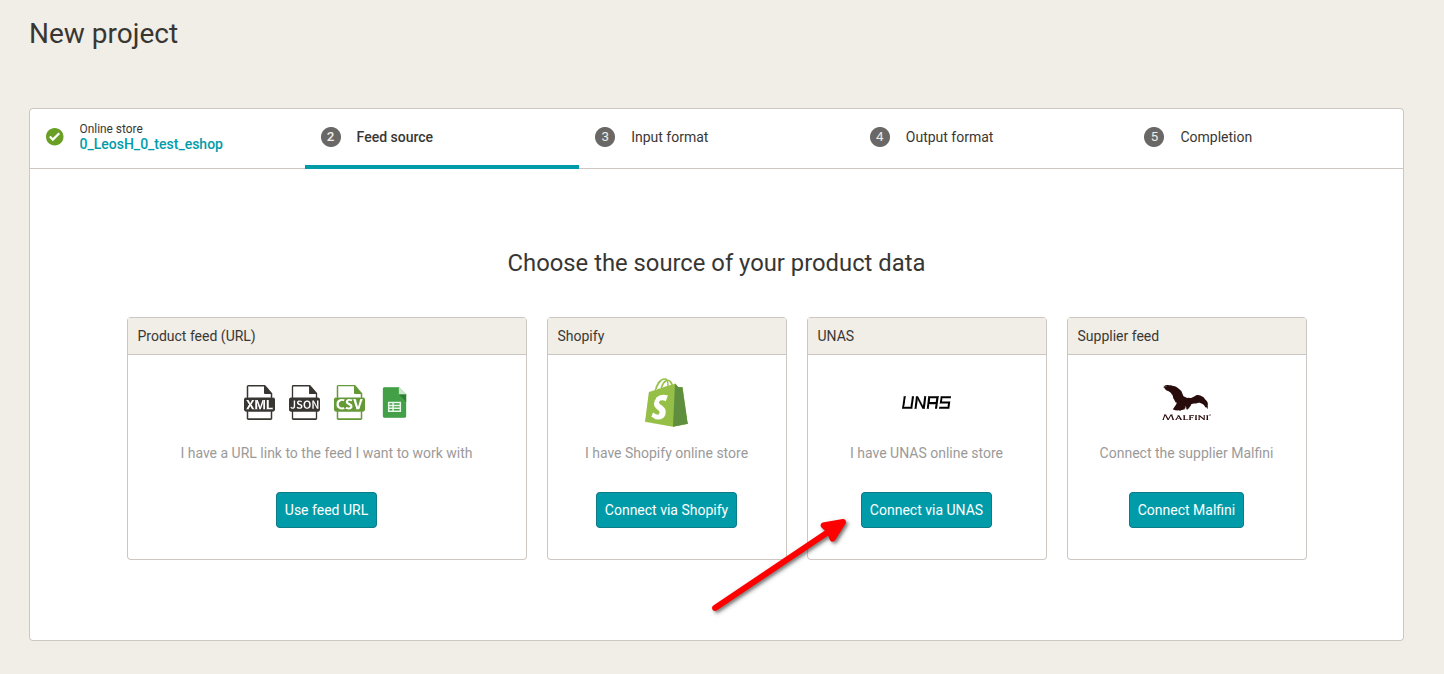
When creating a new project, select UNAS as the data source:
Step 6
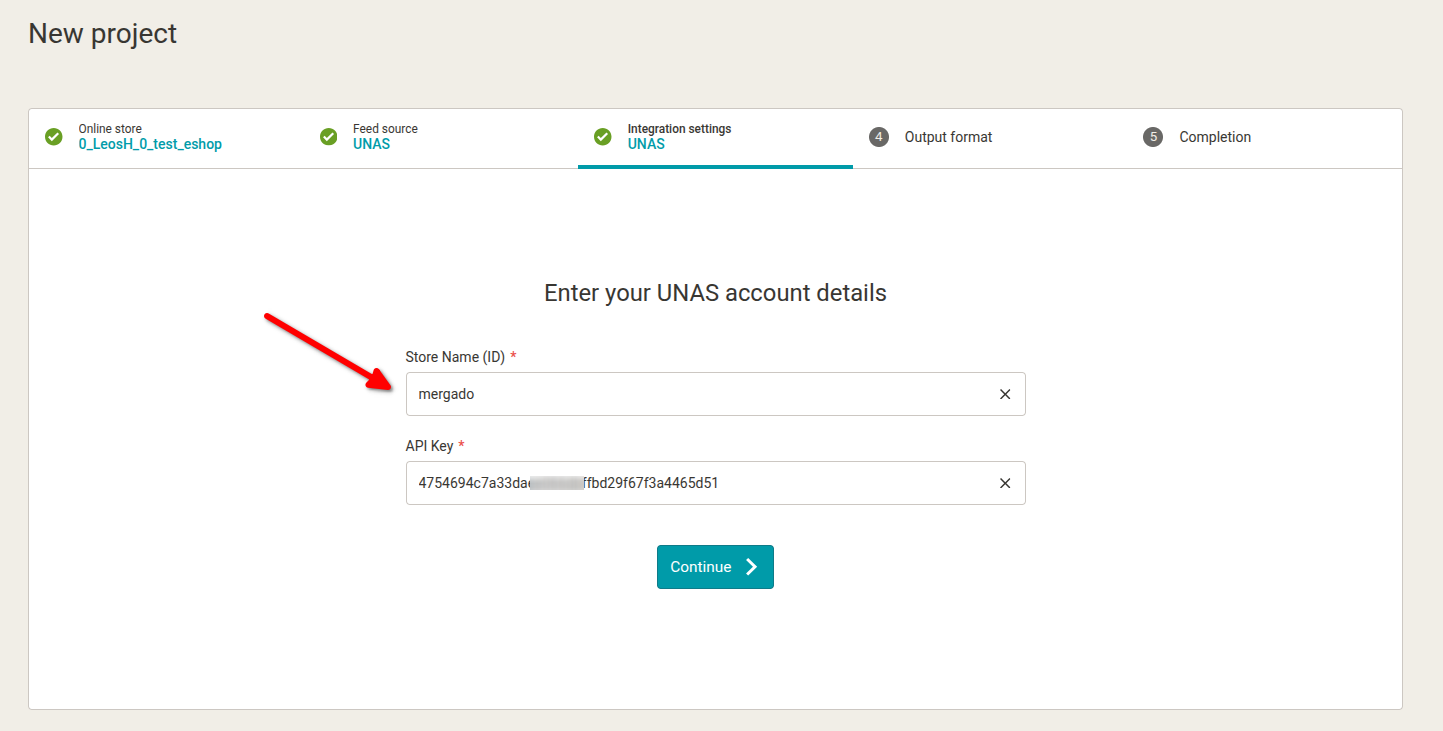
Enter the API key and E-shop ID in the project setup wizard:
Step 7
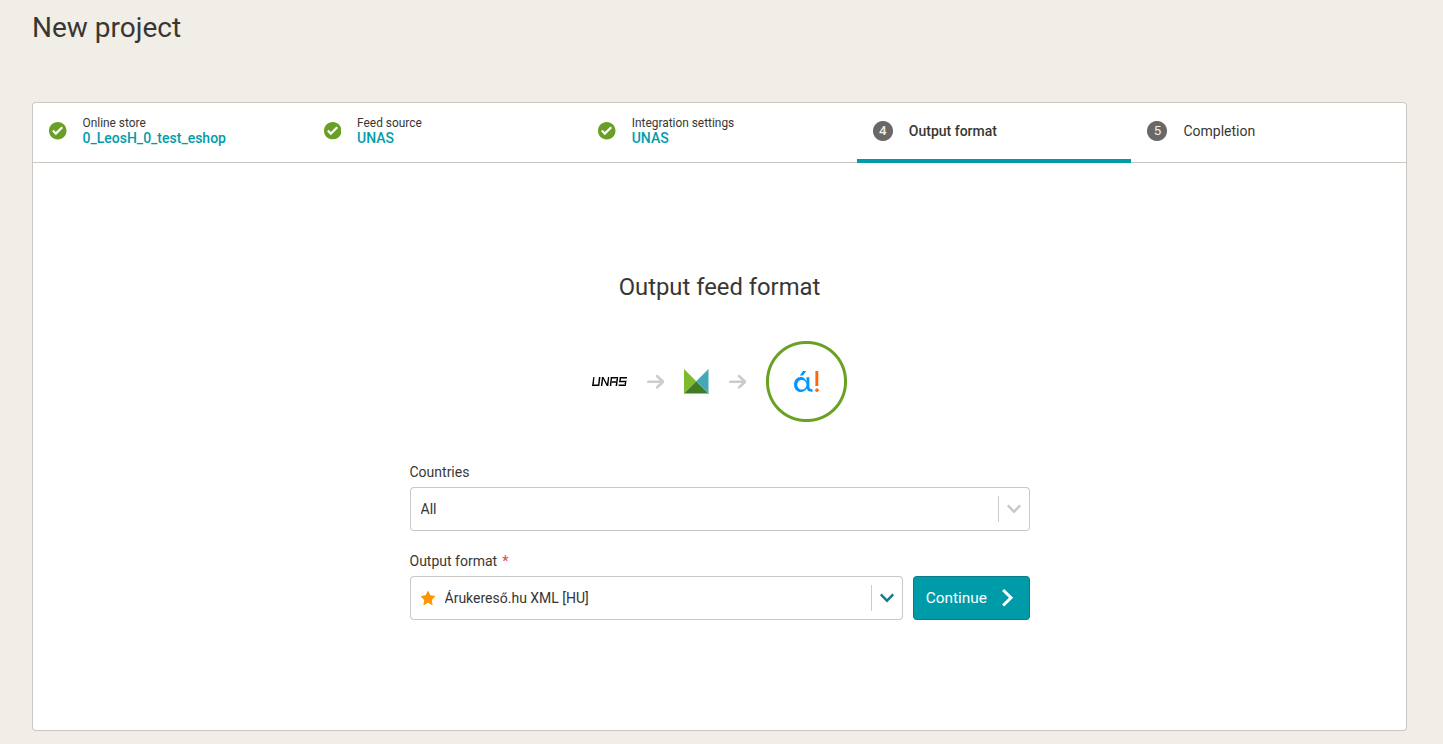
Then continue with the standard selection of the output format and complete the project setup:
 TIP: Optional connection via Mergado Keychain
More information here
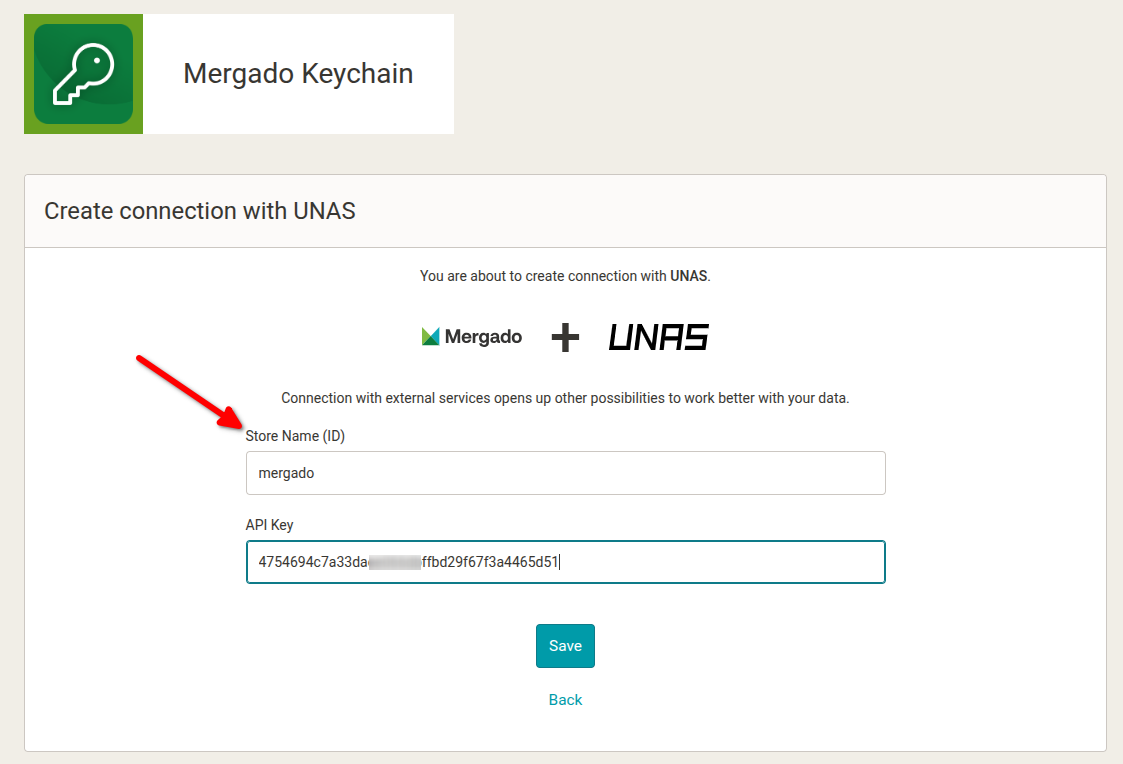
You can also connect to UNAS outside of the project creation wizard, directly within Mergado Keychain. This allows you to prepare the UNAS connection in advance so you won’t need to enter the credentials again when creating a project.
Create the connection in Mergado Keychain:
If you need help connecting to UNAS, feel free to contact us at mergado@mergado.com. We’ll be happy to assist you with the setup.